What the portal is for
Bien Venue is a UK venue-finding agency. We place corporate events — conferences, meetings, dinners, incentives — with hotels and venues, on behalf of client companies.
The Venue Portal is where your team keeps your own details right, and answers us directly:
- Your listing — descriptions, photos, capacities, meeting rooms, amenities. This is what our consultants search when a brief comes in, and what a client sees in a proposal.
- Enquiries — the rate requests we send you, answered in one place instead of scattered across inboxes.
The better your listing, the more briefs you're shortlisted for. That's the whole bargain.
Accounts and contacts — the part that confuses everyone
Being a contact and having an account are different things, and telling them apart answers most of what people write to us about.
Most of your team only needs to be a contact. We hold their name, role and email against your venue, and that's how our consultants reach them. A contact never signs in, and most never do.
Contacts are filed under Sales, Finance or Operations. Rate requests go to the Sales ones, so that's the category worth getting right — a venue whose only contact sits under Finance will have rate requests landing with accounts payable, or not sent at all.
An account is a login, for whoever keeps the listing up to date and answers rate requests.
If you can sign in but no venues appear, that's normal. A new account starts empty on purpose: anyone can register, so an account on its own can't see or change anything until we connect it to your property. Claim your venue, and we'll connect it — usually within a day.
If you look after several properties, say so. We can connect your account to every hotel in your brand or group at once, rather than claiming them one at a time. Agencies and representation companies looking after venues on an owner's behalf are set up the same way.
A contact you add may say "awaiting approval". Until we've verified you, we check new contacts before they go live, which normally takes a day. It isn't box-ticking: because anyone can register an account, this is what stops a stranger quietly redirecting your enquiries to themselves. Once we've verified you, your contact changes go live straight away — worth asking for if you're adding a lot of people.
Getting in
Sign up at portal.bvevents.co.uk with your work email. Personal addresses — Gmail, Hotmail and the like — aren't accepted, because we need to see you're writing from the business.
Claim your venue. Search for your property and claim it. A person reviews every claim, so allow a day or so. Once it's approved, two things happen at once: your account is connected to that venue, and we add you as a Sales contact, so rate requests start reaching you.
If your property isn't listed at all, add it — new venues are reviewed the same way.
Signing in uses a one-time code by email. There's no password to forget or share. Keep the email account itself secure, because it's the key.
Your venues
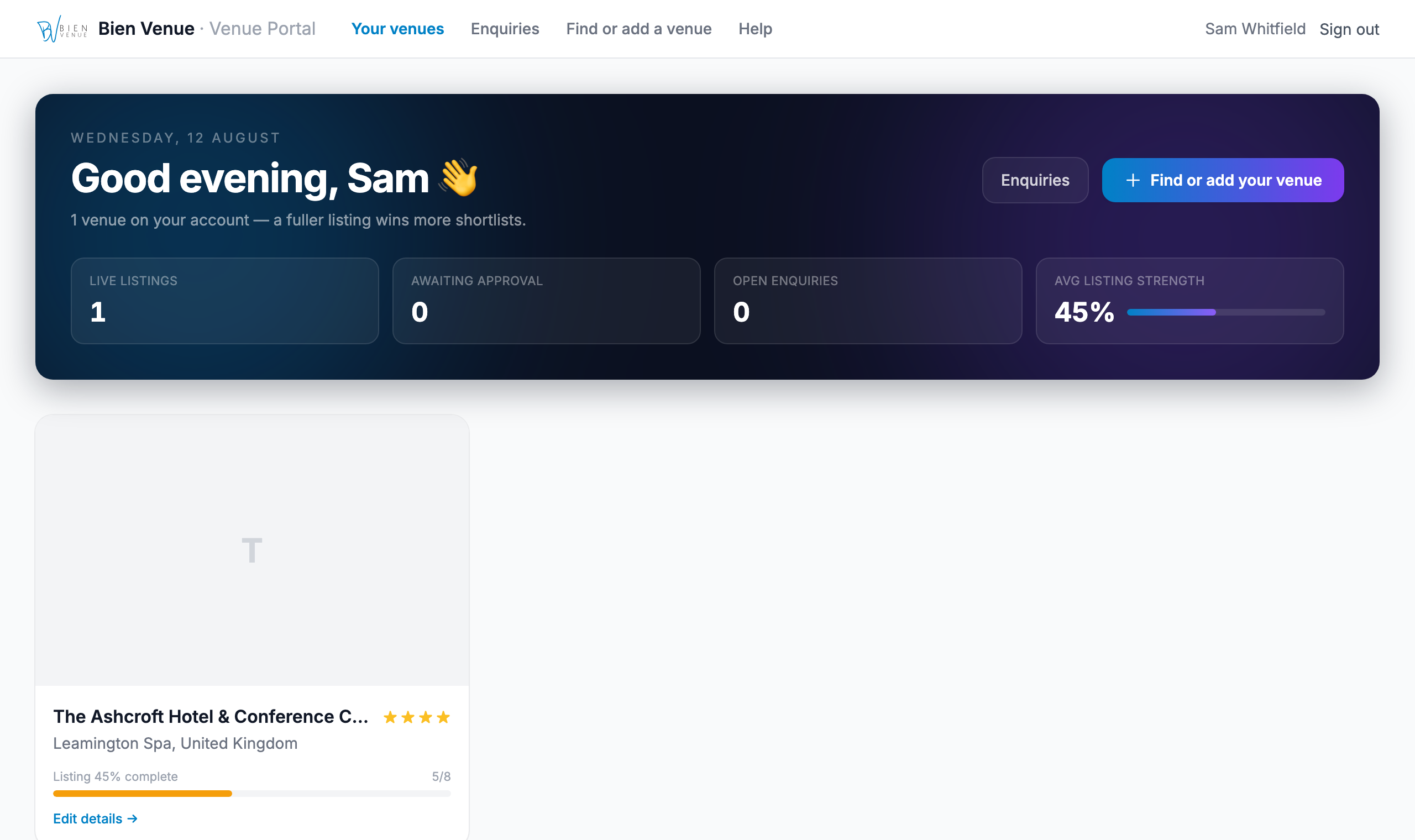 Your venues — every property on your account, with its listing strength.
The dashboard lists every venue your account can manage. Each card shows:
- Listing strength — a completeness score out of 100, weighing photos, capacity, description, meeting rooms, amenities, a contact and map location, with the missing pieces listed as prompts.
- Shortlisted — how many times we've put you in front of a client.
- Enquiries received — rate requests we've sent you.
Listing strength is worth chasing. An incomplete listing loses to a complete one when a consultant is picking a shortlist under time pressure, because the complete one is easier to put in a proposal.
Keeping your listing right
Open a venue to edit it. The things that most affect whether you get shortlisted:
- Capacities per layout. Theatre, cabaret, boardroom and the rest, plus bedrooms. Consultants filter on these, so a blank capacity means you're invisible to briefs you could easily have won.
- Photos. Only upload images you own or have the right to use.
- Meeting rooms — individually, with their own capacities.
- Description. What makes the place worth choosing. Keep out direct booking links, other websites and pricing — see the Acceptable Use Policy.
- Amenities and sustainability. The green certification tick and the note on how your venue is sustainable are used to match briefs from clients who ask for it.
A few details are ours to change rather than yours — your venue's name, address, and which brand or group it belongs to — so that listings stay consistent and easy to search across. If one of those is wrong, tell us and we'll put it right.
Contacts
Add the people we should actually be reaching, under Sales, Finance or Operations.
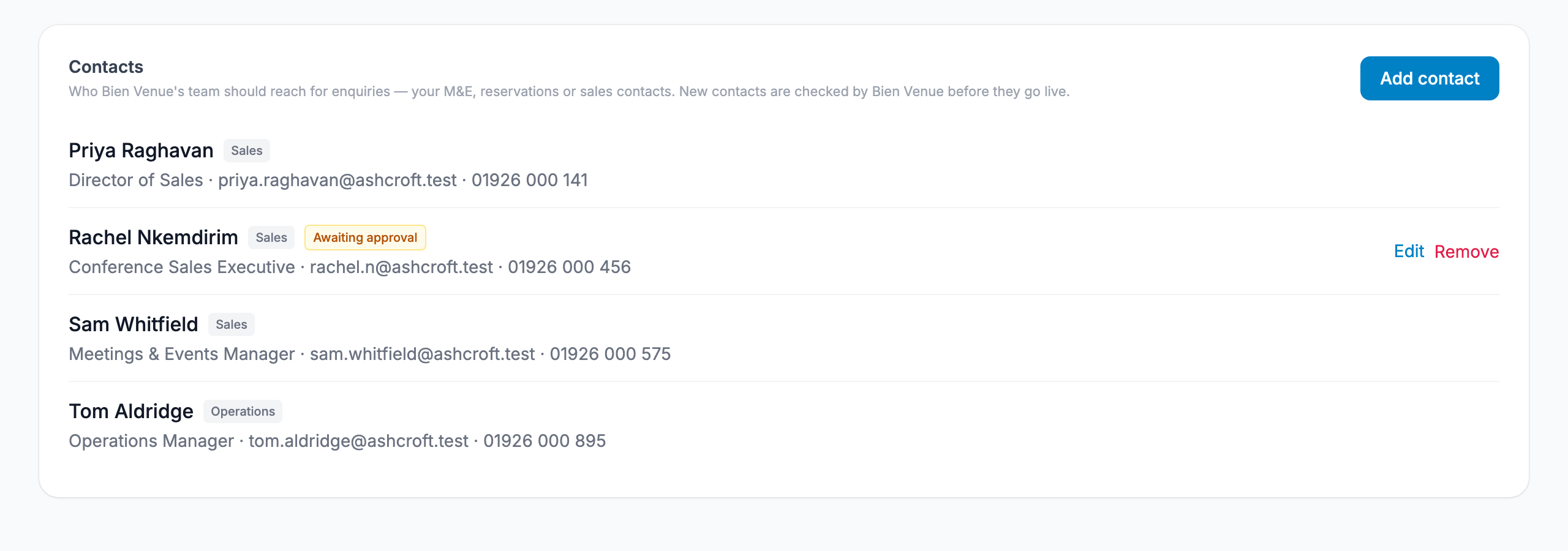 Contacts on your venue. The amber tag means we're still checking that one.
Get the Sales ones right. Those are the people a rate request goes to by default, and a venue with nobody in Sales is a venue we can't easily ask for rates.
Until we've verified you, anything you add waits for us to check it. You can tidy or withdraw your own while they wait. You can't edit a contact that someone else added and we've already approved — that's deliberate, so nobody can quietly redirect another venue's enquiries.
Enquiries — answering rate requests
When we have a brief that suits you, we send a rate request. It arrives by email with a personal link that needs no login, and it also appears under Enquiries here. Same form either way, so use whichever suits.
You're asked two things: can you host it, and what are your rates.
The rate table arrives with the charge lines already on it — day delegate rate, room hire, bedrooms — so you're filling in prices, not building a quote. For each line: your rack rate, your rate to us, and commission. You can add lines, mark anything included free, set a minimum spend, and leave notes. Sometimes there are a few specific questions, occasionally with a file upload for a floor plan or menu.
If the dates don't work, say so. One click, with a reason from a short list. A quick no is genuinely useful — it's better than silence, and it tunes what we ask you about next time.
Deadlines. The request says when we'd like a reply, usually tight because a client is waiting. If we hear nothing we send up to two reminders, working hours only, then stop. Your link never expires, so a late reply is still worth sending.
What happens to your rates
- The client never sees your cost or your commission. Those are internal to us. The client sees one price — what we charge them, which our consultant sets.
- Nothing is passed on automatically. A consultant reads every response and decides what goes in front of a client.
- You don't see our sell price, and the client doesn't see yours. Both halves of that are deliberate.
- Everything is logged — who changed what, and when — on your venue's history.
What we review, and why
A few things wait for a person: new venues, claims, and contacts added by someone we haven't verified yet.
It isn't bureaucracy. Anyone can create an account, so approval is what stops a stranger redirecting a venue's enquiries to themselves. It's usually a day or so, and the daily review means nothing sits long.
Getting help
Reply to whoever emailed you — the consultant's name and address are on every rate request. For anything else, including access problems and anything wrong in your listing that you can't edit, we're at sales@bvevents.co.uk.
The Acceptable Use Policy covers the rules for portal accounts, including what representation companies acting on a venue's behalf are agreeing to.